📈
Timeline view
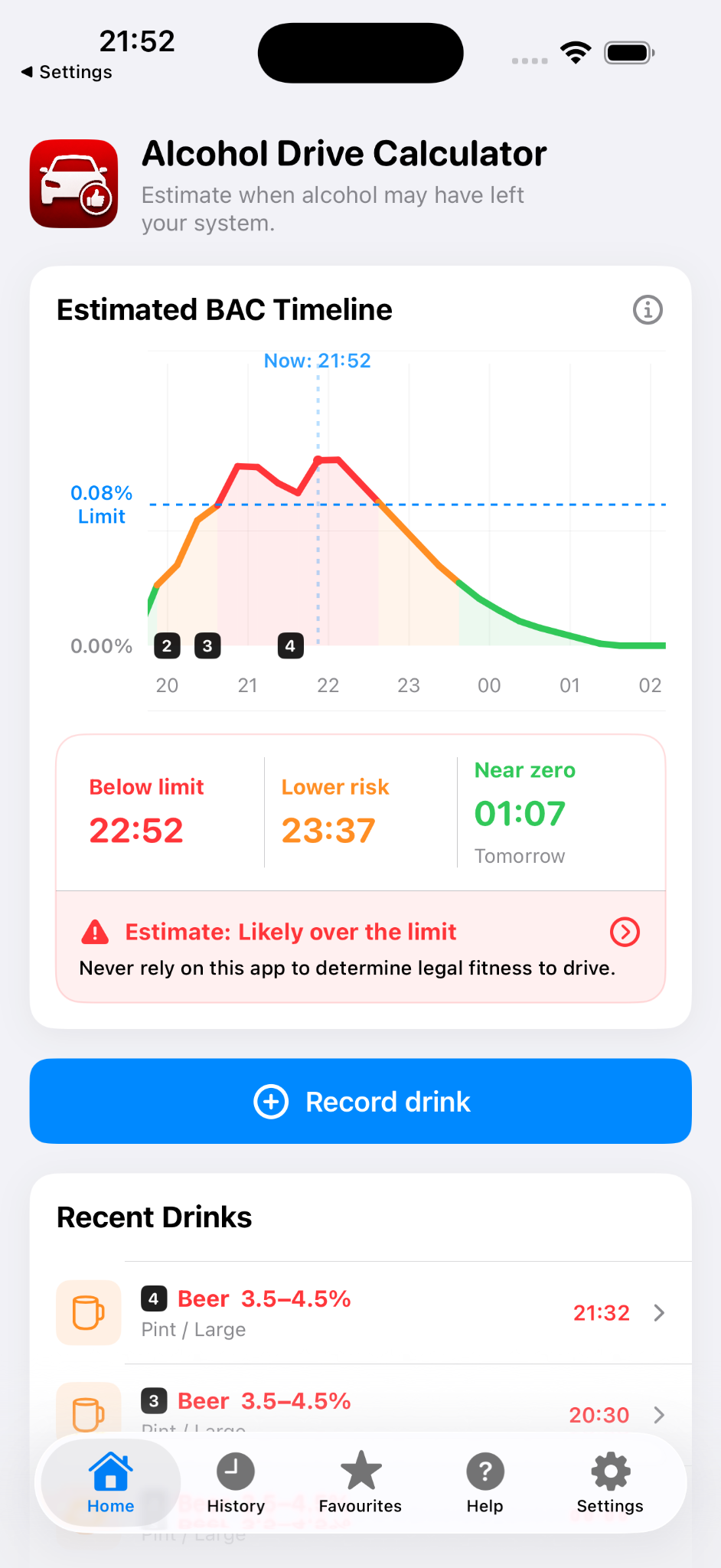
See how your estimated alcohol level may rise and fall over time, instead of only seeing one number.
When2DriveSober helps you record drinks, view an estimated BAC timeline and understand when your estimate may fall below your selected local driving limit.

Designed as a practical planning tool, not a legal driving decision tool.
The app intentionally presents alcohol estimates cautiously. It is better to slightly overestimate risk than underestimate it.
See how your estimated alcohol level may rise and fall over time, instead of only seeing one number.
Drink ranges use cautious values, and warnings make clear that the app cannot prove you are fit to drive.
Choose your country or region, including separate limits for England/Wales/Northern Ireland and Scotland.
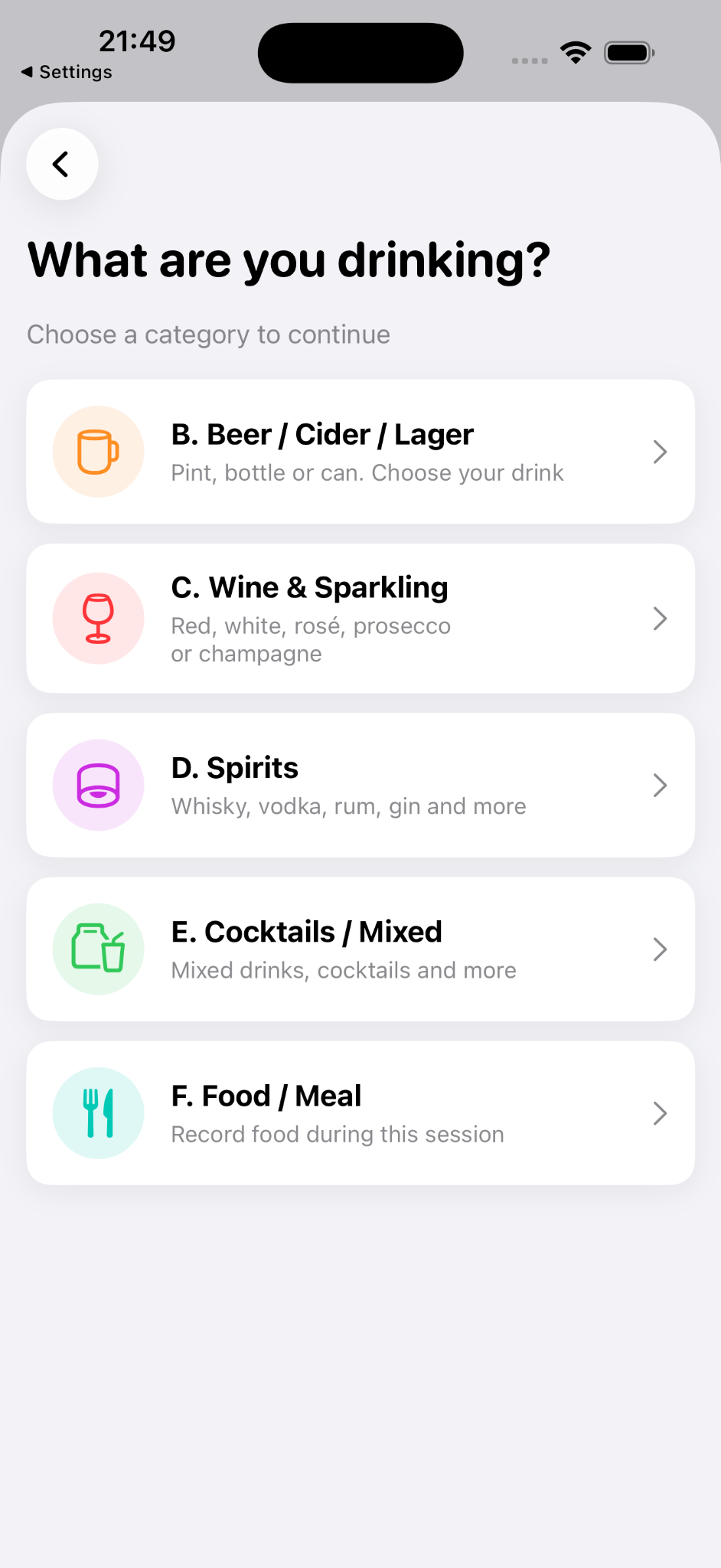
Record beer, wine, spirits, cocktails and meals quickly using a simple category-first flow.
A simple release-one website: the key point is to explain the timeline, the drink logging flow and the safety warning clearly.
Shows drink markers, legal limit line, risk colours and key estimated times.
Choose a category and add drinks in a few taps during a real evening out.
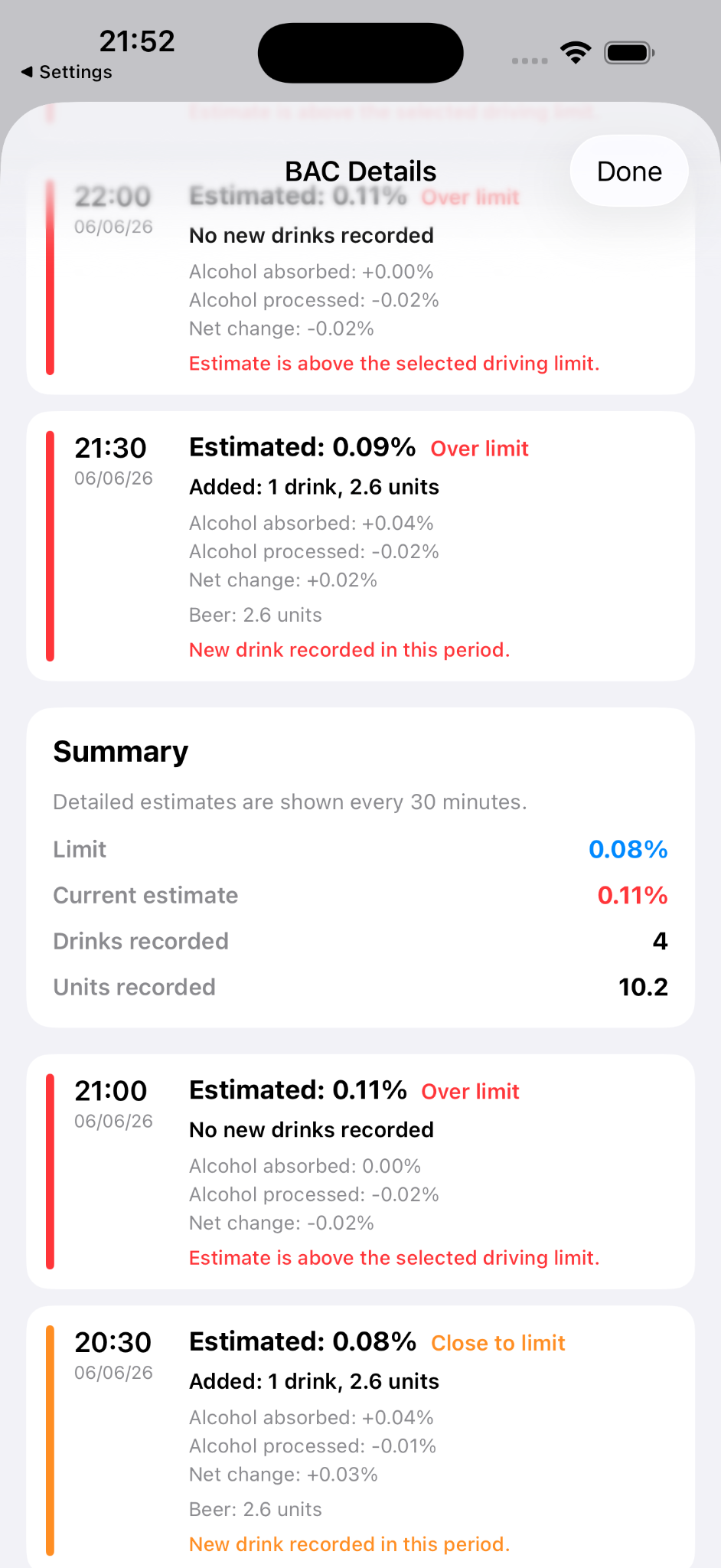
Review half-hourly changes including drinks added, absorption, processing and net change.
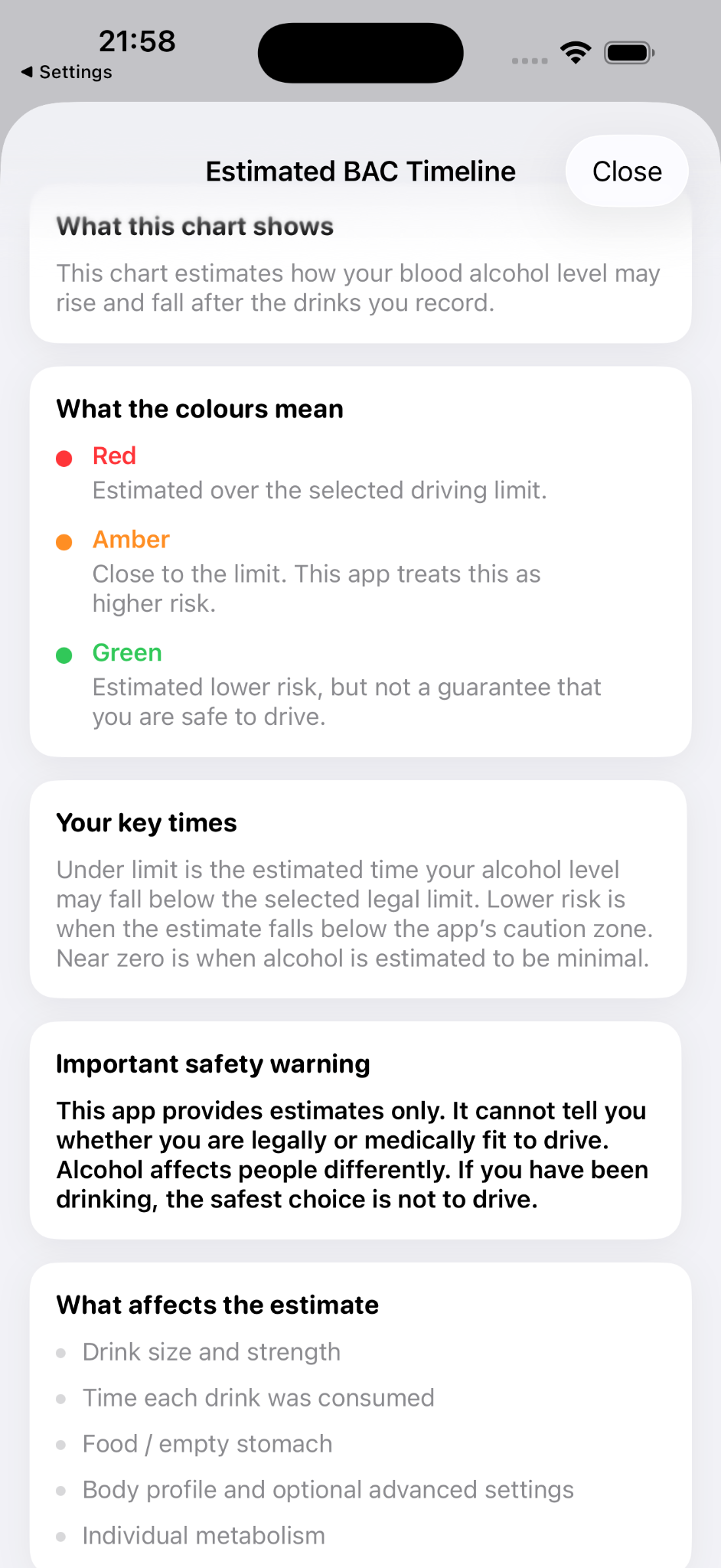
The app uses red, amber and green to make the timeline easy to understand, while still warning that green is not a guarantee of fitness to drive.
Estimated over the selected driving limit.
Close to the limit. The app treats this as higher risk.
Estimated lower risk, but not a guarantee that you are safe to drive.