1
Set your country or region
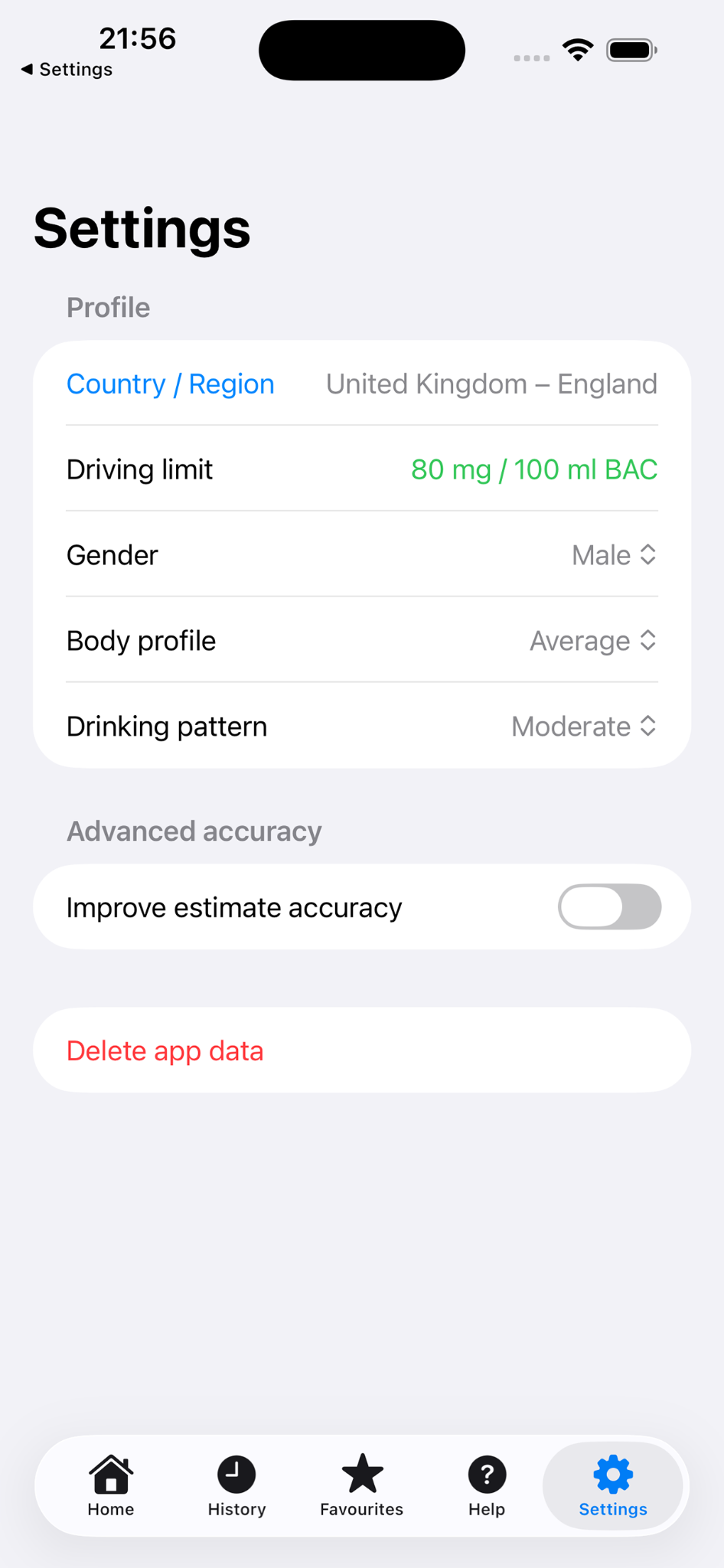
Choose the driving limit used for your estimate. The app includes separate UK regions because Scotland has a lower limit than England, Wales and Northern Ireland.
A simple guide to recording drinks and reading the estimated alcohol timeline responsibly.
Choose the driving limit used for your estimate. The app includes separate UK regions because Scotland has a lower limit than England, Wales and Northern Ireland.
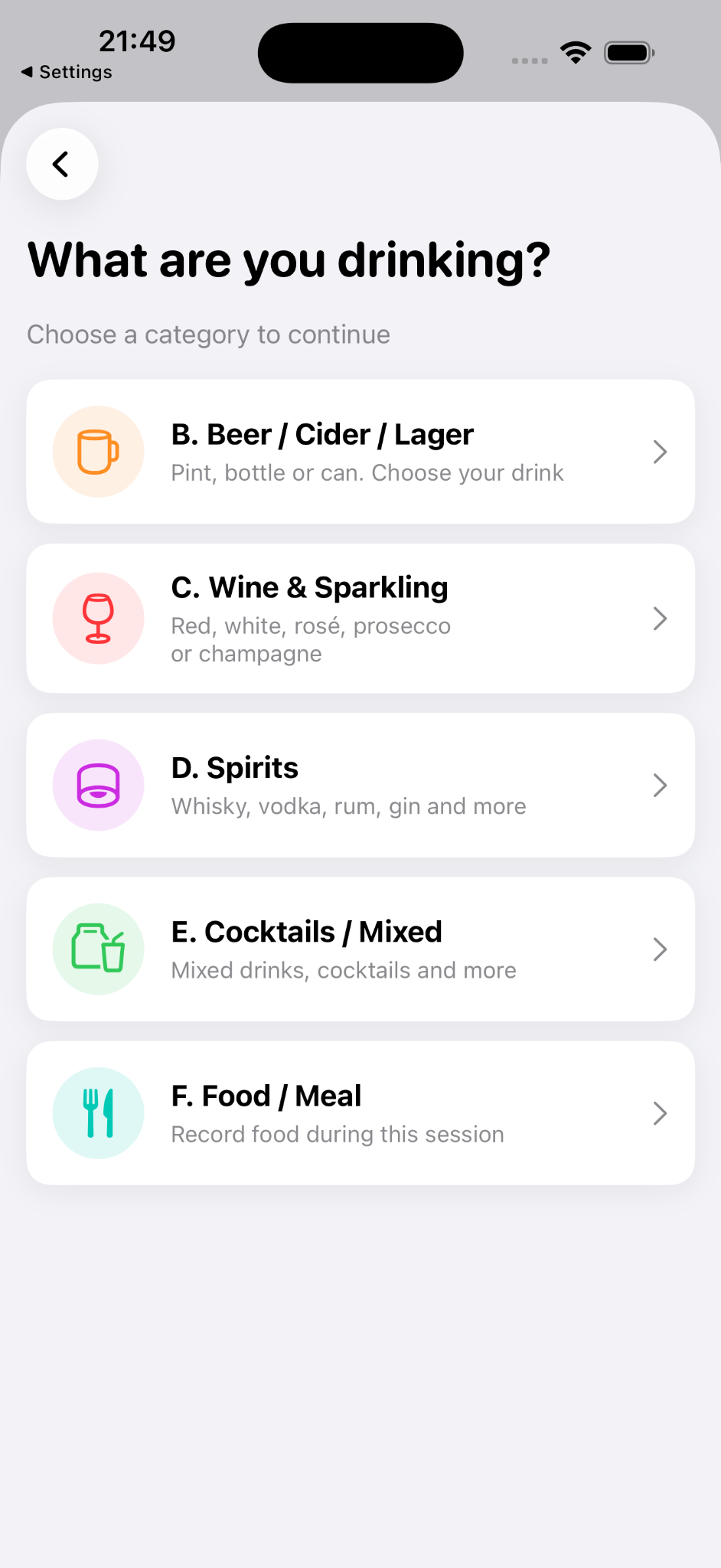
Use the Record drink button, then choose beer, wine, spirits, cocktails or food. The app is designed for quick use in real situations.
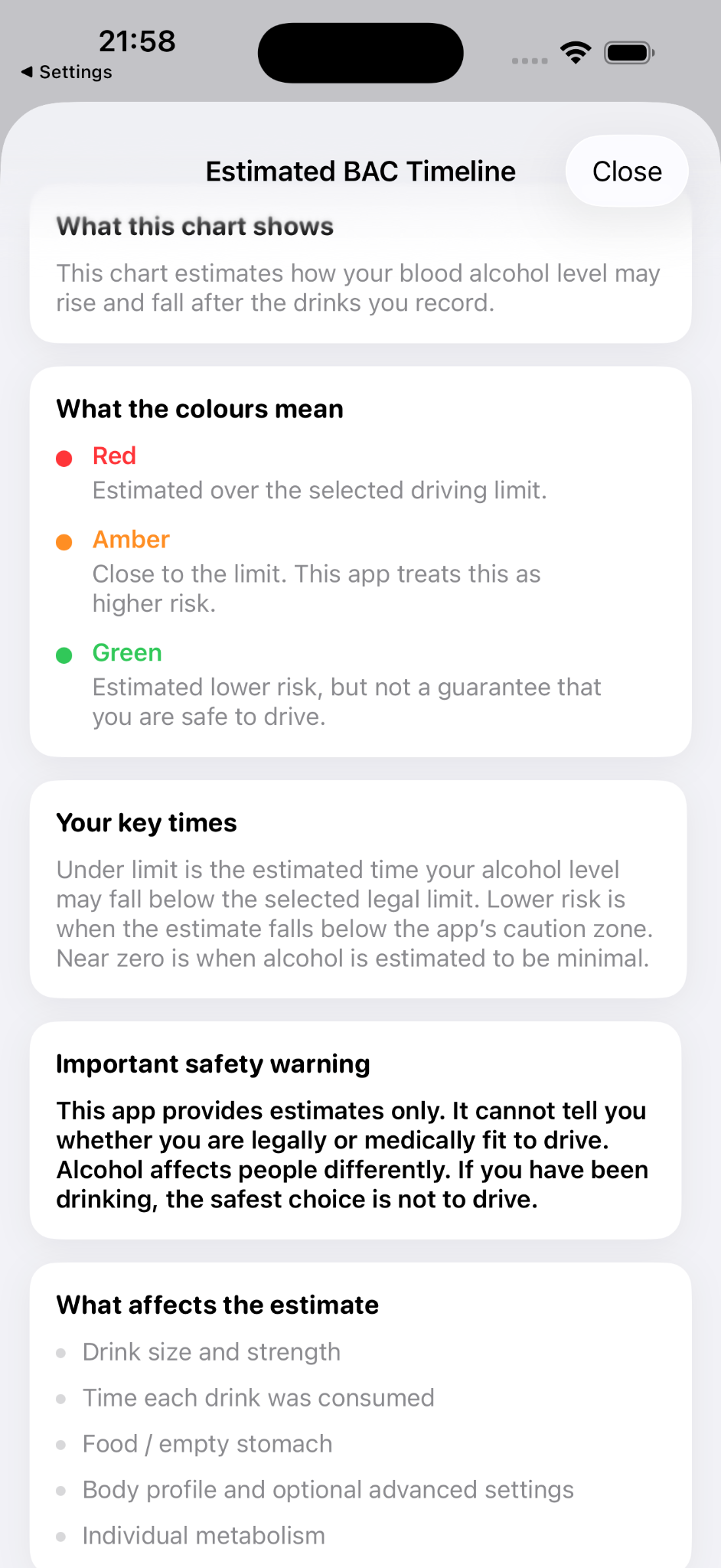
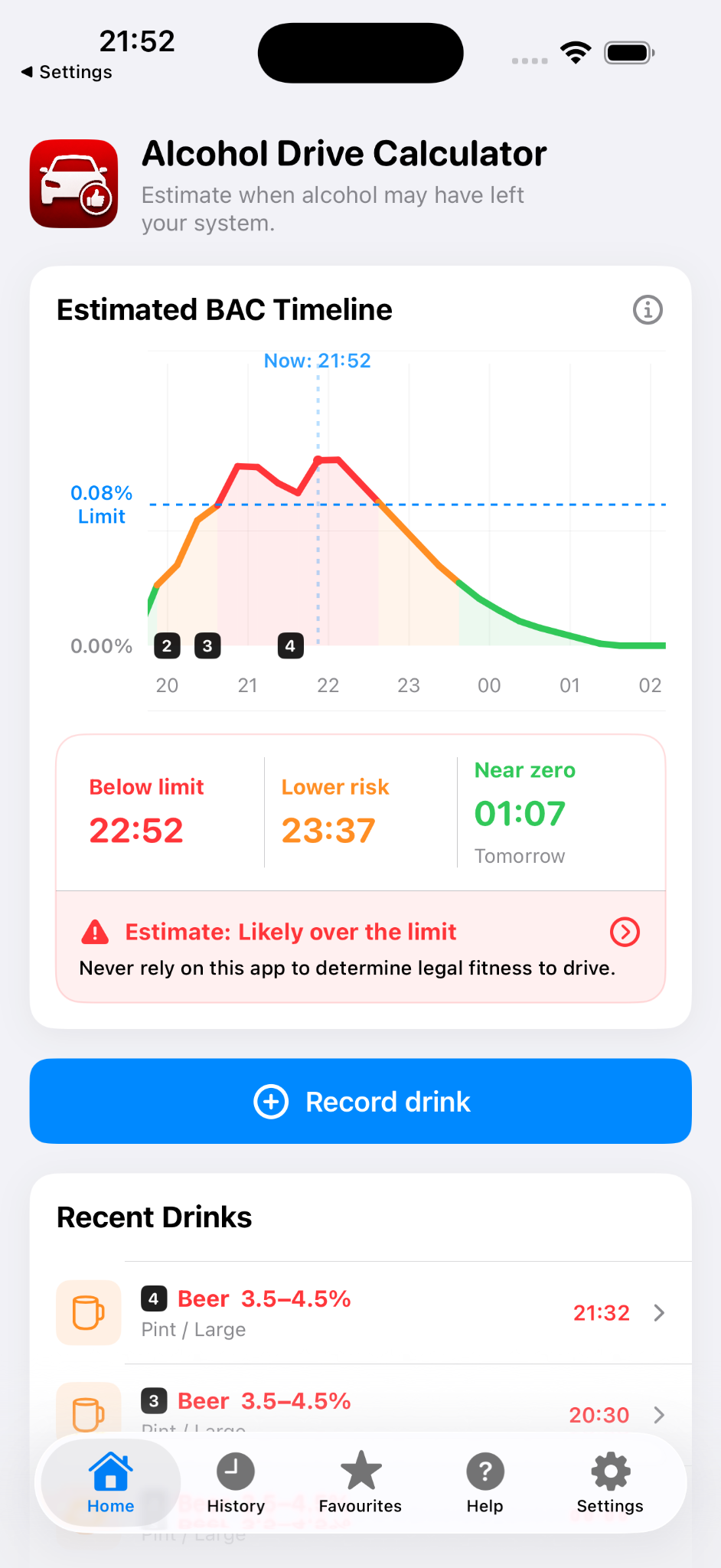
The graph estimates how your alcohol level may rise and fall. Red means estimated over the selected limit, amber means close to the limit, and green means lower risk — not guaranteed safe.
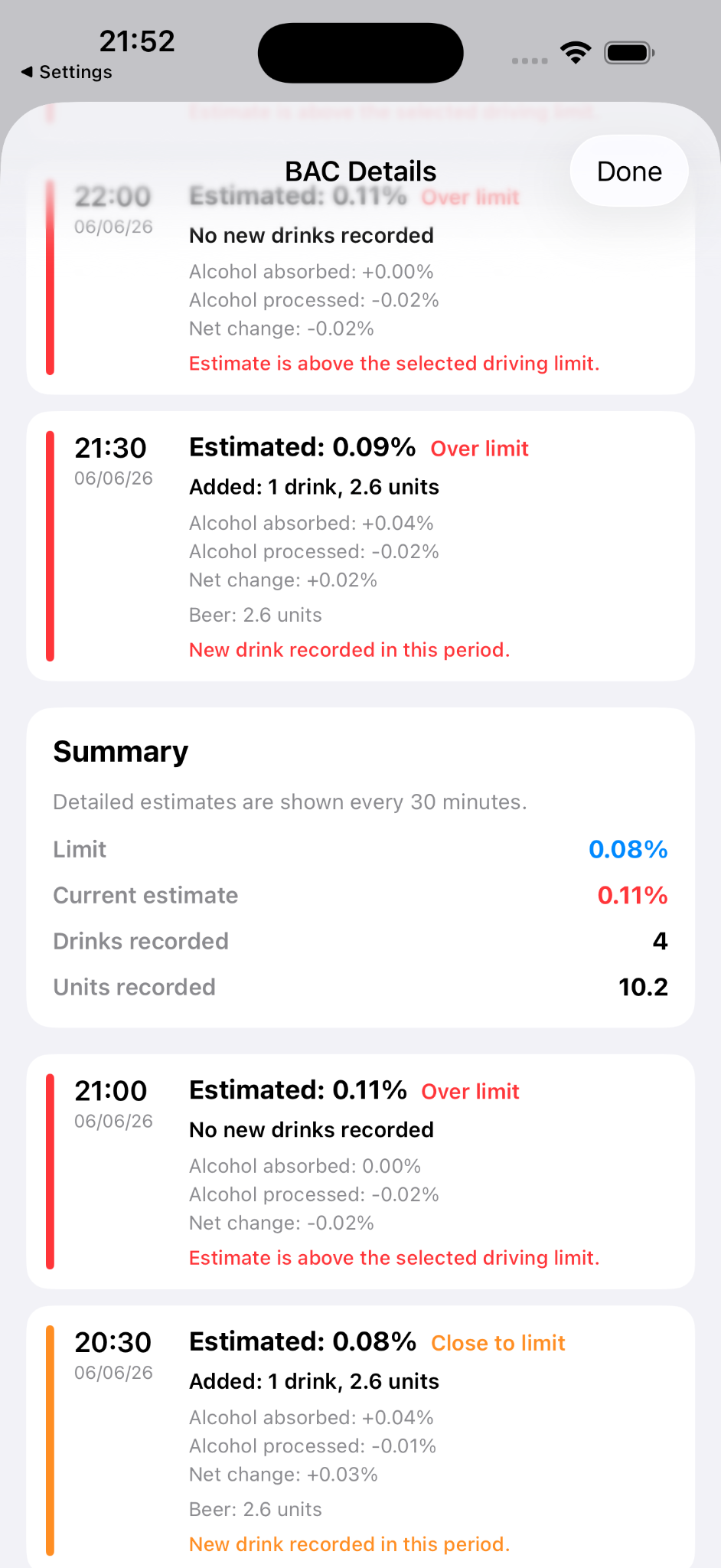
The details view explains the estimate in 30-minute intervals, including drinks added, alcohol absorbed, alcohol processed and net change.
The app cannot know your exact metabolism, health, medication, sleep, food, drink strength or legal situation. If you have been drinking, the safest choice is not to drive.